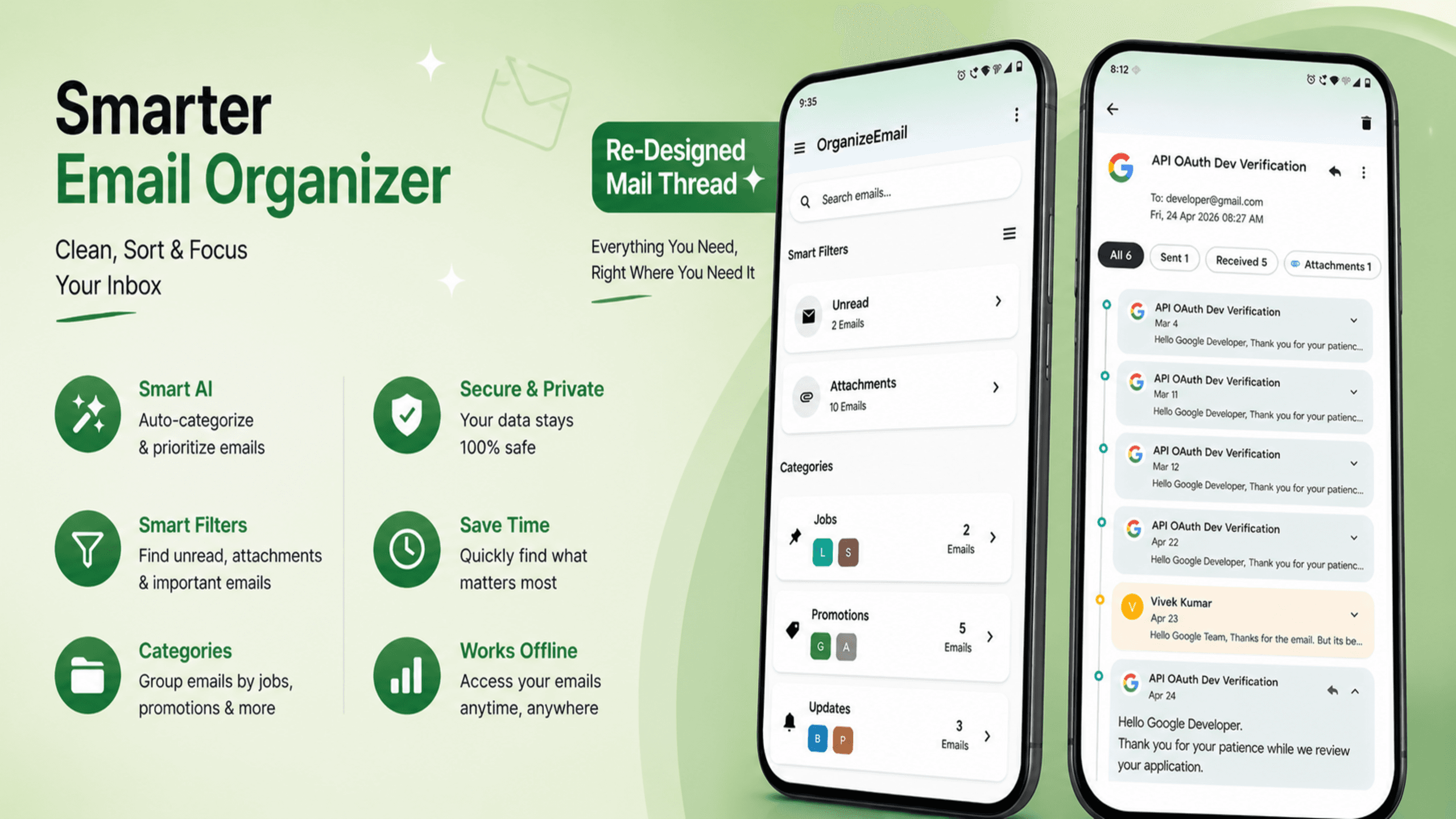
Managing email should not feel like a full-time job.
That is exactly why we built OrganizeEmail: a modern email management app designed to help you stay organized, reduce inbox clutter, and focus on what actually matters.
Today, we are excited to announce that all major OrganizeEmail features are now live and available to users.
Whether you manage a single inbox or multiple accounts across Gmail, Outlook, Yahoo, and other providers, OrganizeEmail helps you take control of your email experience.
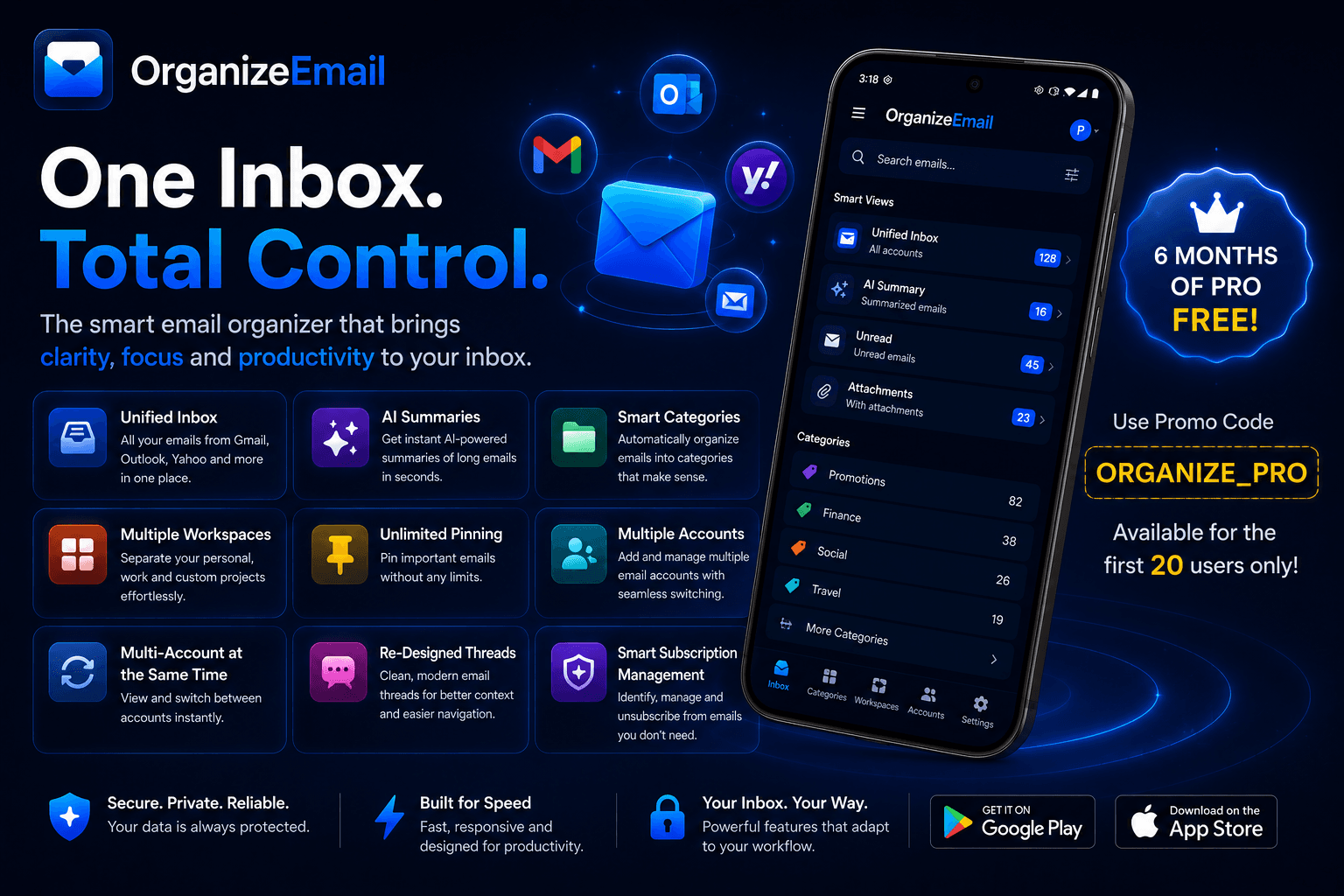
One Inbox. Total Control.
Most people switch between multiple email accounts every day.
Personal email. Work email. Side projects. Newsletters. Client communication.
OrganizeEmail brings everything together into a single, unified experience so you can manage all your emails in one place without constantly switching between apps.
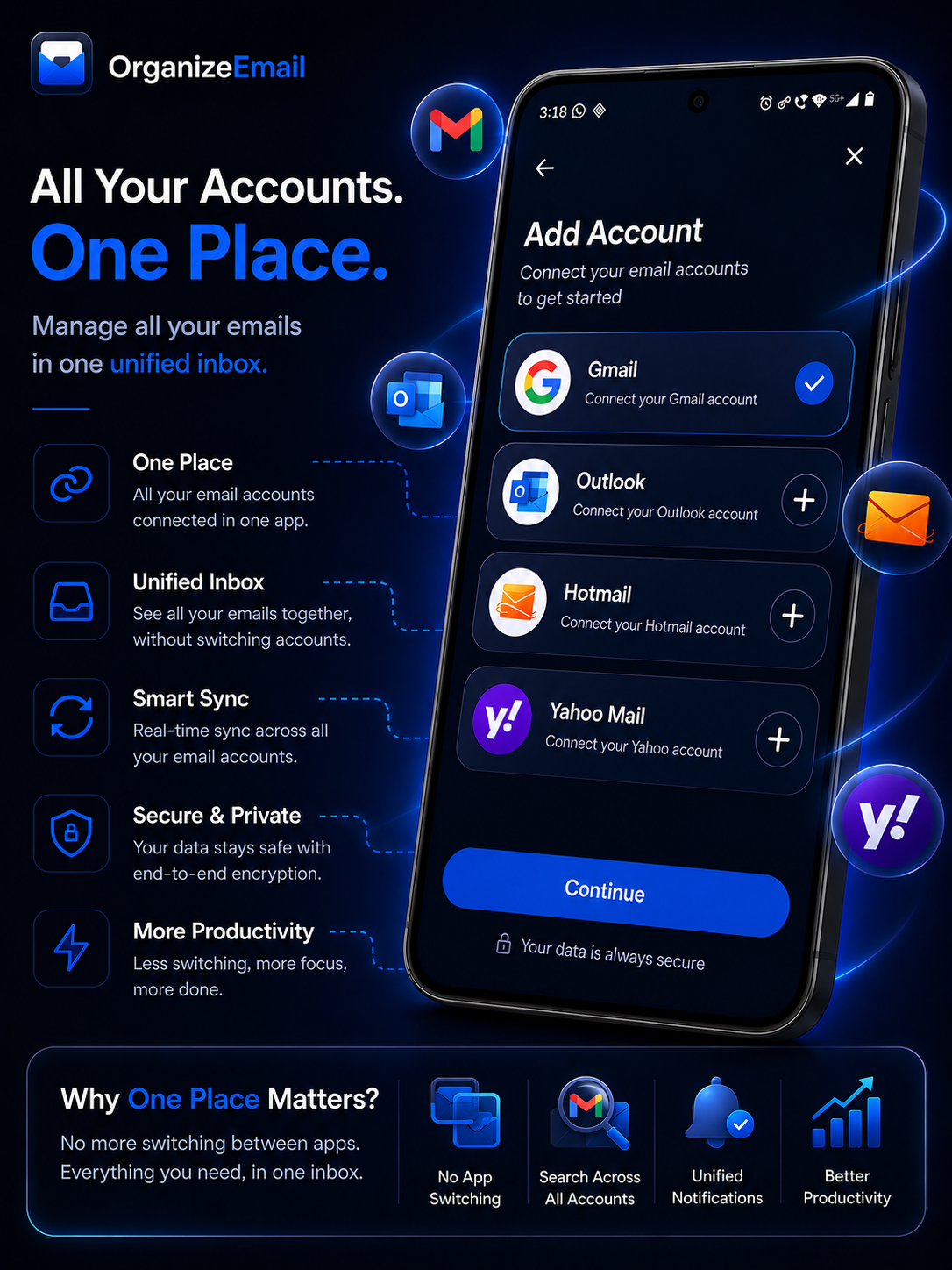
Supported account types include:
- Gmail
- Outlook
- Yahoo Mail
- Hotmail
- Additional providers coming soon
With multi-account support, your entire inbox ecosystem stays organized and accessible from a single application.
Smart Categories That Organize Email Automatically
Traditional inboxes quickly become overwhelming.
OrganizeEmail automatically groups emails into intelligent categories so you can instantly understand what deserves attention.
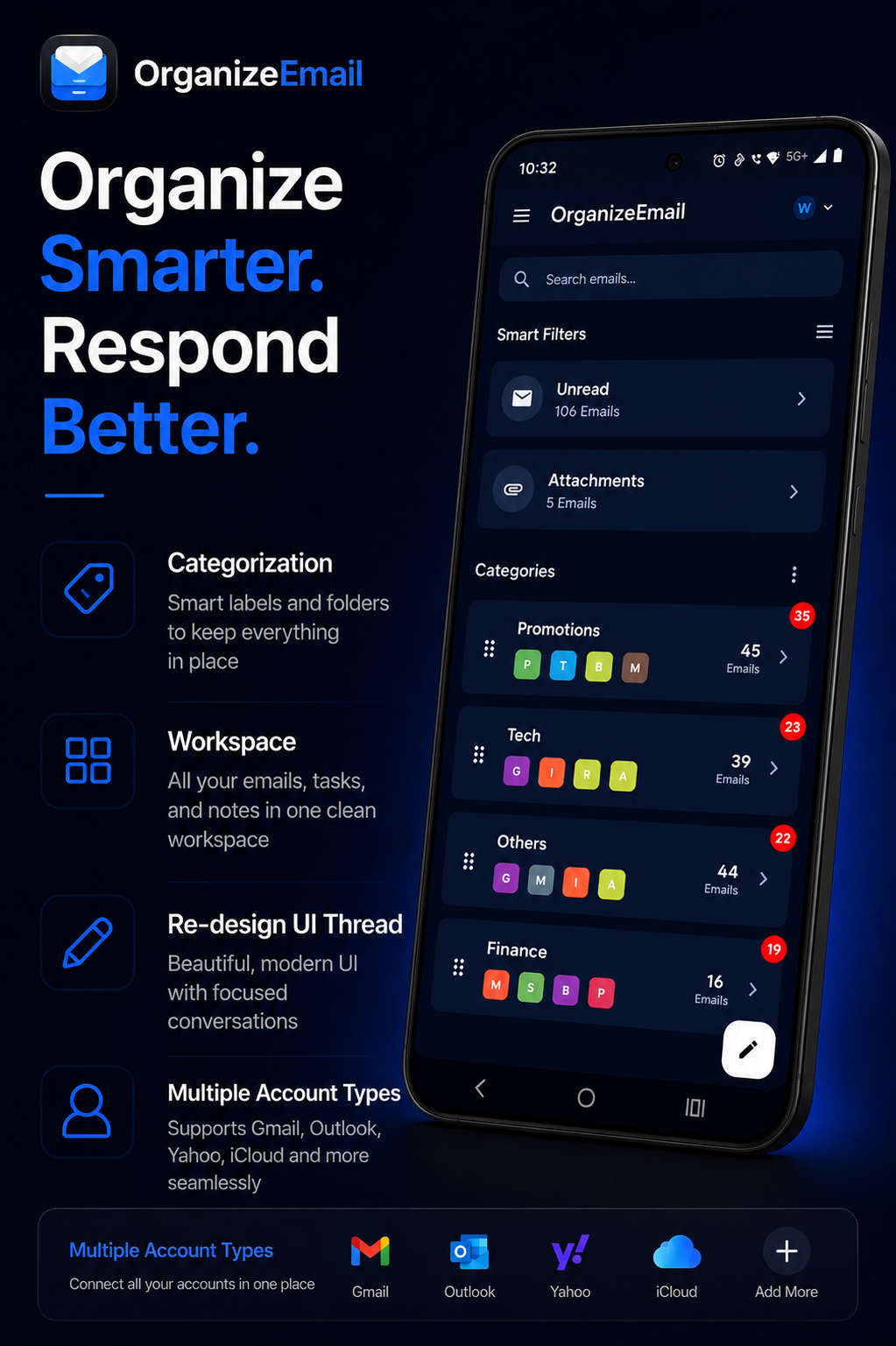
Examples include:
- Technology
- Finance
- Shopping
- Travel
- Promotions
- Social
- Entertainment
- Custom Categories
Instead of scrolling through hundreds of emails, you can jump directly to the category that matters most.
The result is a cleaner inbox and faster decision-making.
Workspaces: Separate Personal and Work Life
One of our most requested features is finally here.
Workspaces allow you to create dedicated environments for different parts of your life.
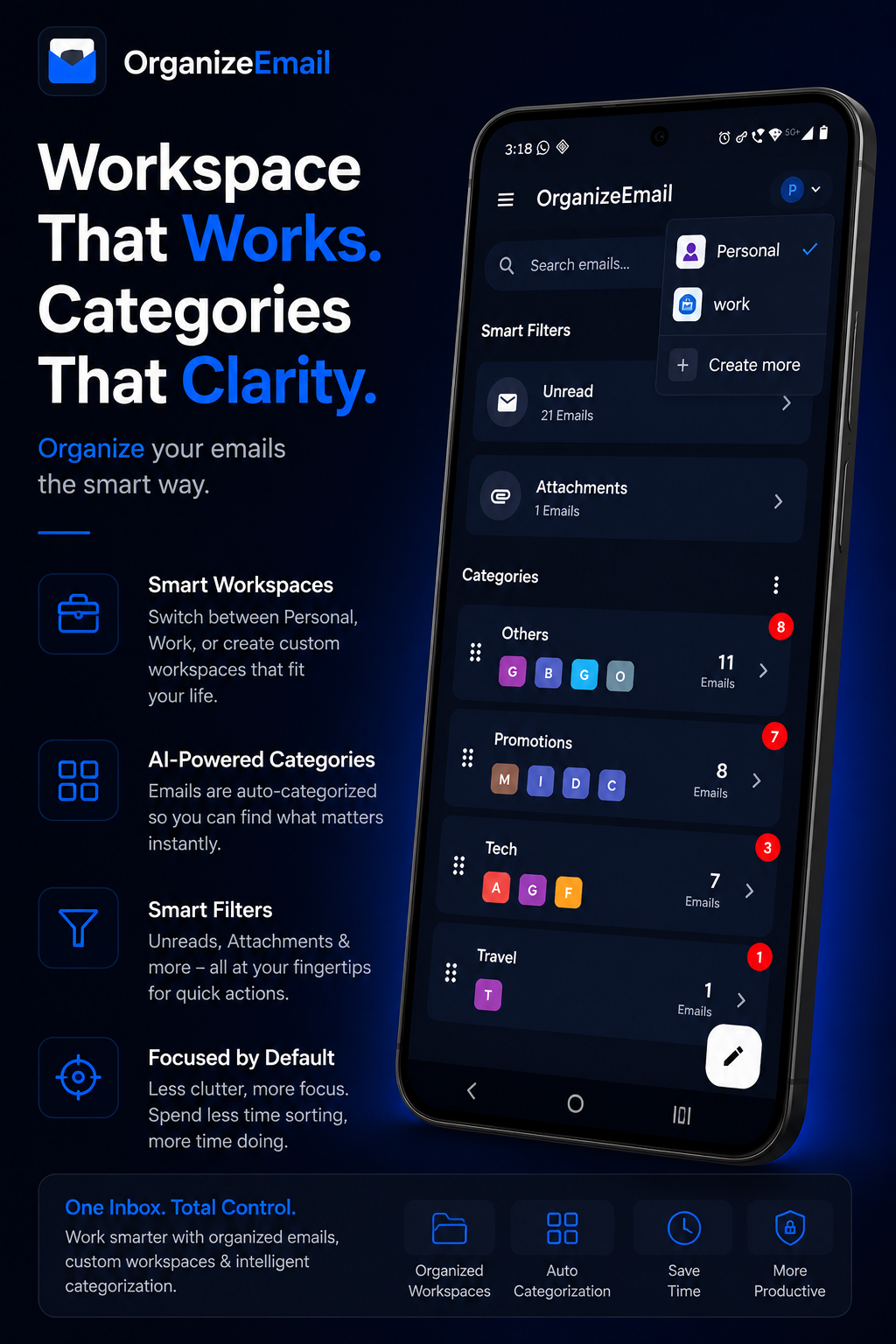
Examples:
Personal Workspace
Family, subscriptions, personal projects, shopping, travel.
Work Workspace
Clients, meetings, invoices, company communication.
Custom Workspaces
Create additional workspaces for startups, side projects, freelancing, or anything else.
Each workspace maintains its own organization while still giving you access to a unified email experience.
AI-Powered Email Summaries
Reading long emails can take valuable time.
OrganizeEmail now includes AI-powered email summaries that help you quickly understand the most important information inside an email.
Instead of reading every paragraph, you can instantly see:
- Key updates
- Important announcements
- Action items
- Release information
- Context summaries
This helps you process information faster and spend less time digging through lengthy email threads.
Whether it is newsletters, company announcements, product updates, or project discussions, AI summaries help you stay informed in seconds.
Re-Designed Mail Threads
Traditional email threads often feel fragmented and difficult to follow.
Replies get buried. Attachments get lost. Important context disappears.
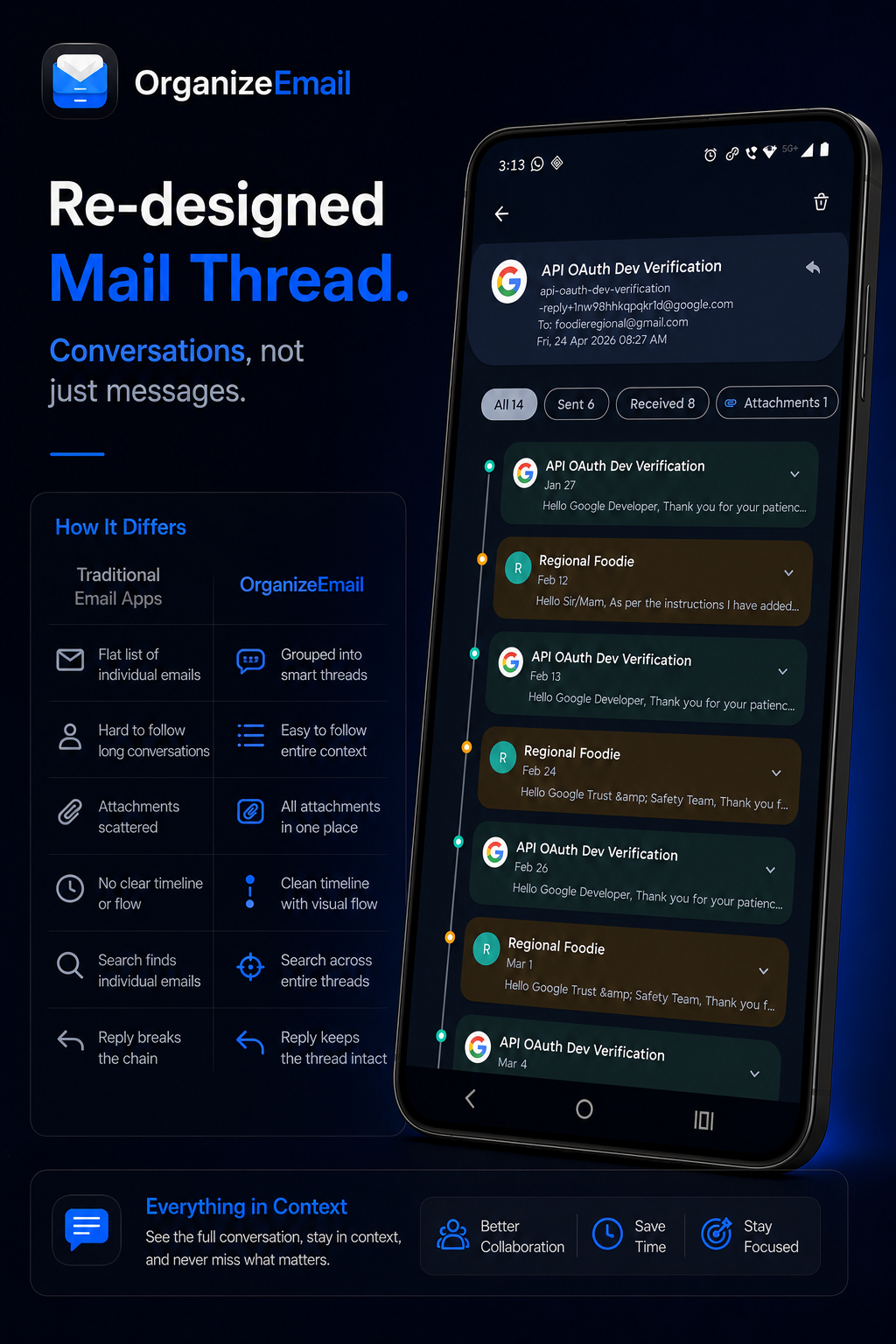
OrganizeEmail introduces a redesigned thread experience that keeps conversations organized and easy to understand.
Benefits include:
- Clean chronological timeline
- Better conversation flow
- Easier navigation
- Faster context retrieval
- Attachment visibility across the thread
Instead of managing individual messages, you can follow complete conversations from beginning to end.
Smart Subscription Management
Promotional emails and newsletters can quickly overwhelm any inbox.
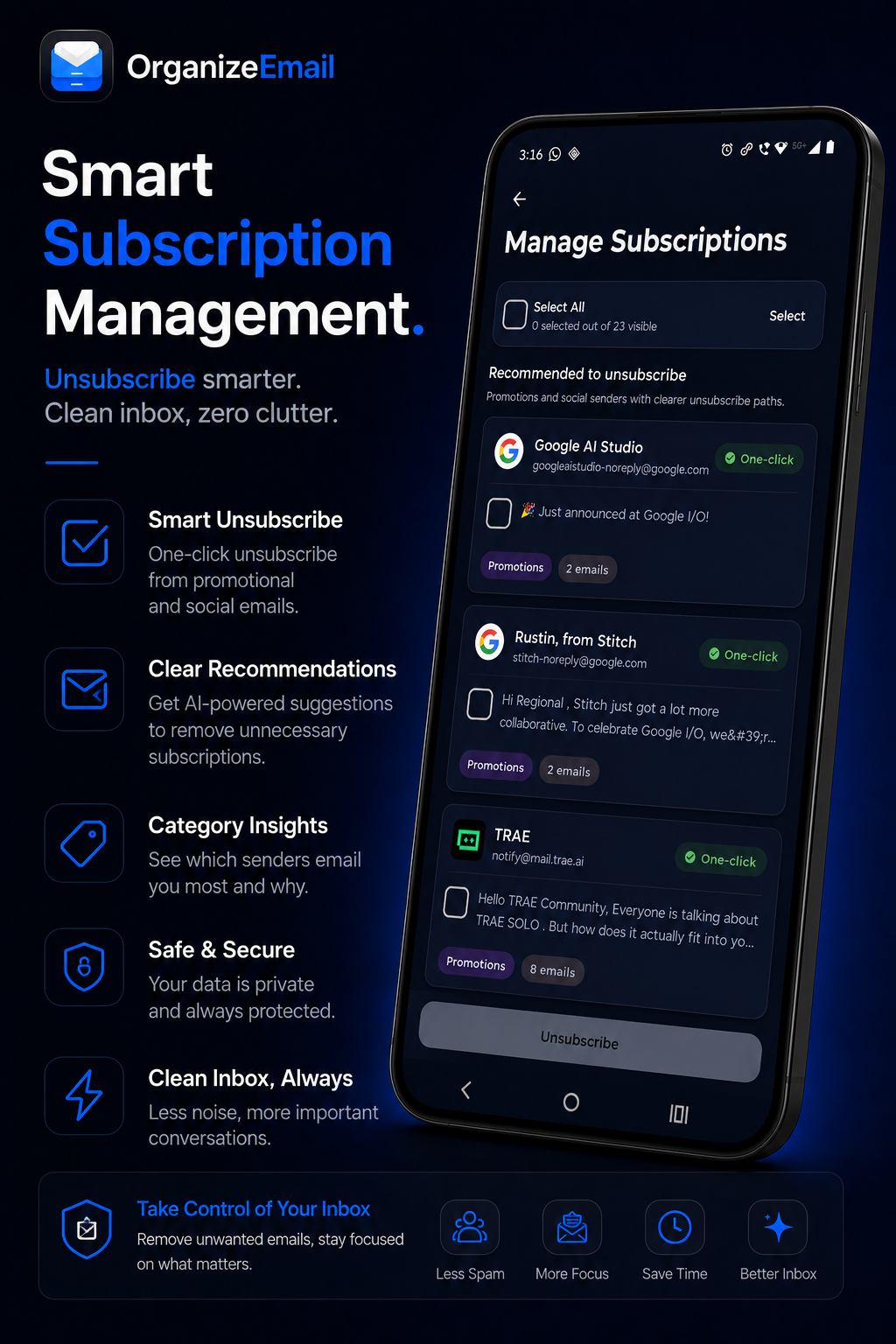
OrganizeEmail helps you identify subscriptions and manage them efficiently.
Features include:
- Subscription discovery
- Bulk unsubscribe support
- Sender insights
- Promotion tracking
- Cleaner inbox experience
Spend less time deleting unwanted emails and more time focusing on the messages that matter.
Powerful Search and Filters
Finding information should be instant.
OrganizeEmail includes advanced search and filtering tools that help you locate emails quickly.
Filter by:
- Unread emails
- Attachments
- Categories
- Accounts
- Threads
- Senders
The goal is simple: fewer clicks, faster access to information.
Built with Privacy in Mind
Privacy remains one of our core principles.
OrganizeEmail is designed to help users organize email while respecting their data.
We focus on:
- Secure authentication
- Account protection
- Controlled access permissions
- Responsible AI processing
- Transparent data practices
Your inbox belongs to you.
What's Next?
We are continuing to improve OrganizeEmail with:
- More account providers
- Additional AI features
- Better productivity workflows
- Enhanced workspace capabilities
- Advanced organization tools
This is only the beginning.
Early Adopter Offer
To celebrate the launch of these features, we are giving early users:
6 Months of OrganizeEmail Pro - Free
Promo code: ORGANIZE_PRO
Available to the first 20 users only.
Pro features include:
- Multiple Workspaces
- AI Email Summaries
- Unlimited Email Pinning
- Additional Email Accounts
- Multi-Account Management
- Advanced Organization Features
- Future Premium Features
Once the first 20 redemptions are claimed, the promotion will end.
Ready to Organize Your Inbox?
Download OrganizeEmail and experience a smarter way to manage email.
Less clutter.
More focus.
Better productivity.
One Inbox. Total Control.
Download for Android
 Product