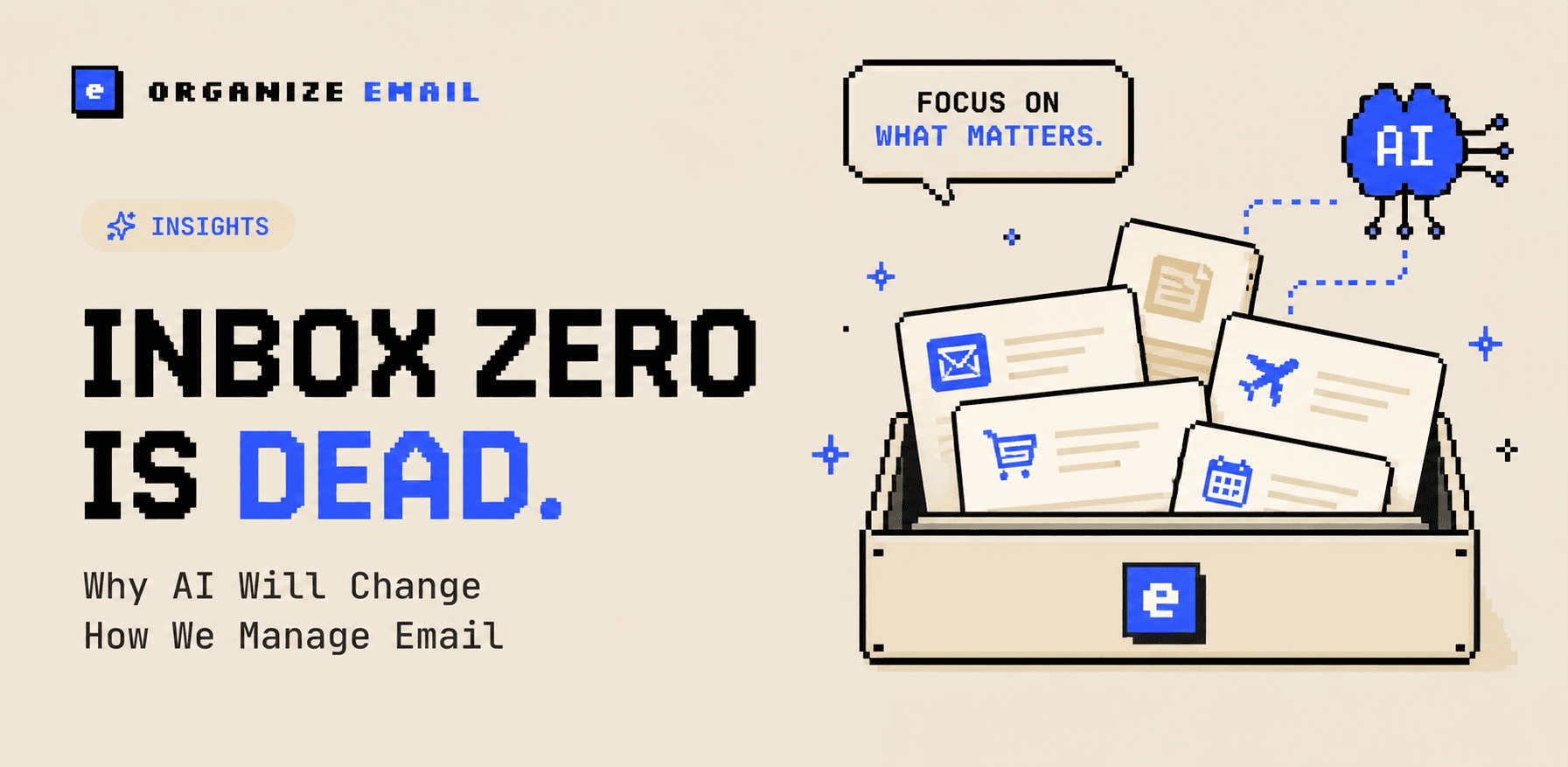
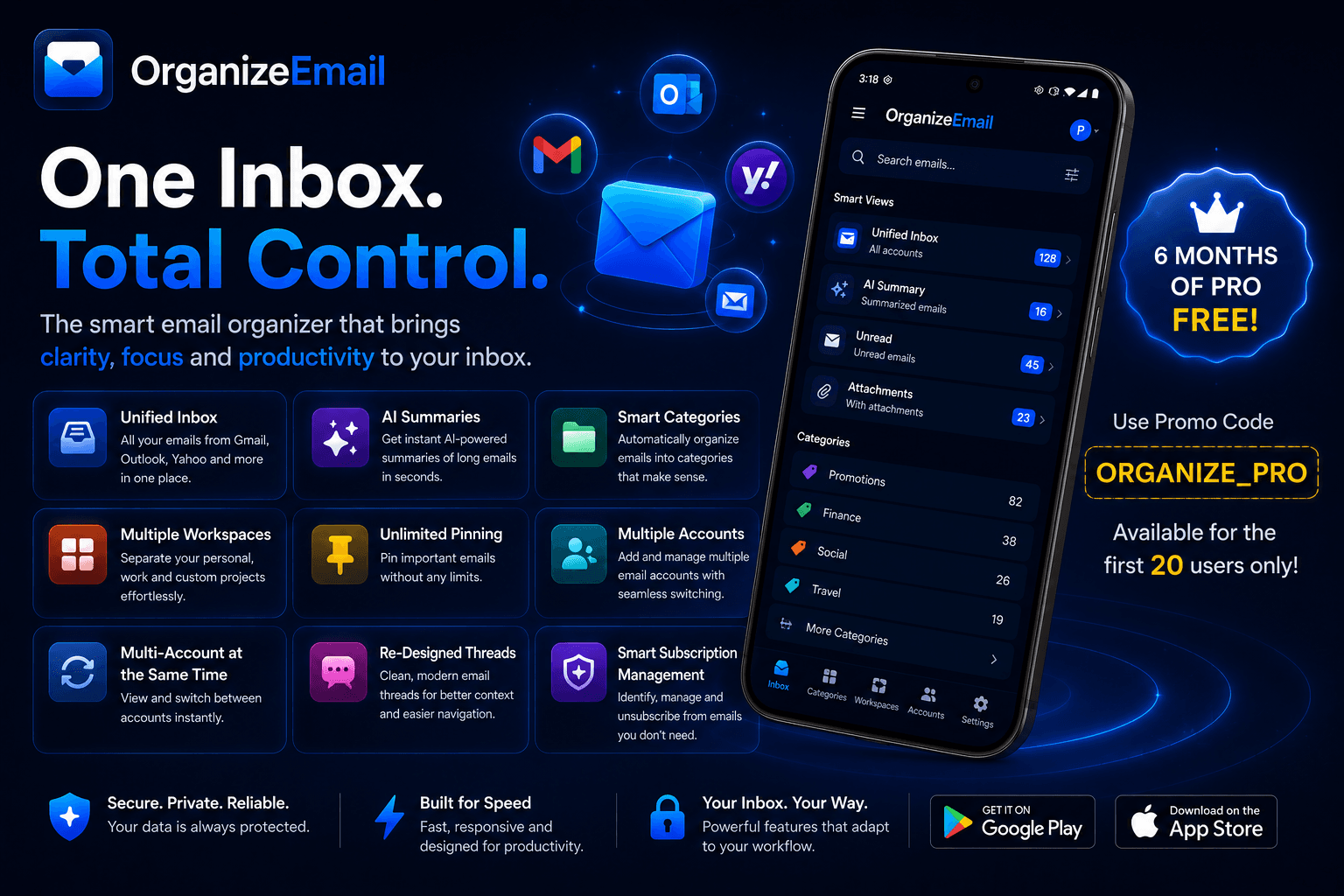
Email is still the backbone of modern life — and it's a mess. The average professional gets 121 emails a day, and most of them are noise. OrganizeEmail rebuilds your inbox from the ground up: AI categorization, redesigned threads, and one unified app for all your accounts — so the right email always finds you.
The Inbox Problem Nobody Fixed
Most "modern" email apps are still glorified scroll lists. You drown in promos, miss the recruiter message buried under Slack digests, and spend Sunday nights doing inbox hygiene. Switching between Gmail, Yahoo, and Outlook? Three apps, three notification systems, three pieces of your brain.
OrganizeEmail was built around a simple belief: your inbox should organize itself, look gorgeous, and live in one place — without trading your privacy for convenience.
What Makes OrganizeEmail Different
- Smart auto-categorization: On-device AI sorts every incoming email into Jobs, Tech, Social, Finance, Travel and Promotions — instantly and accurately.
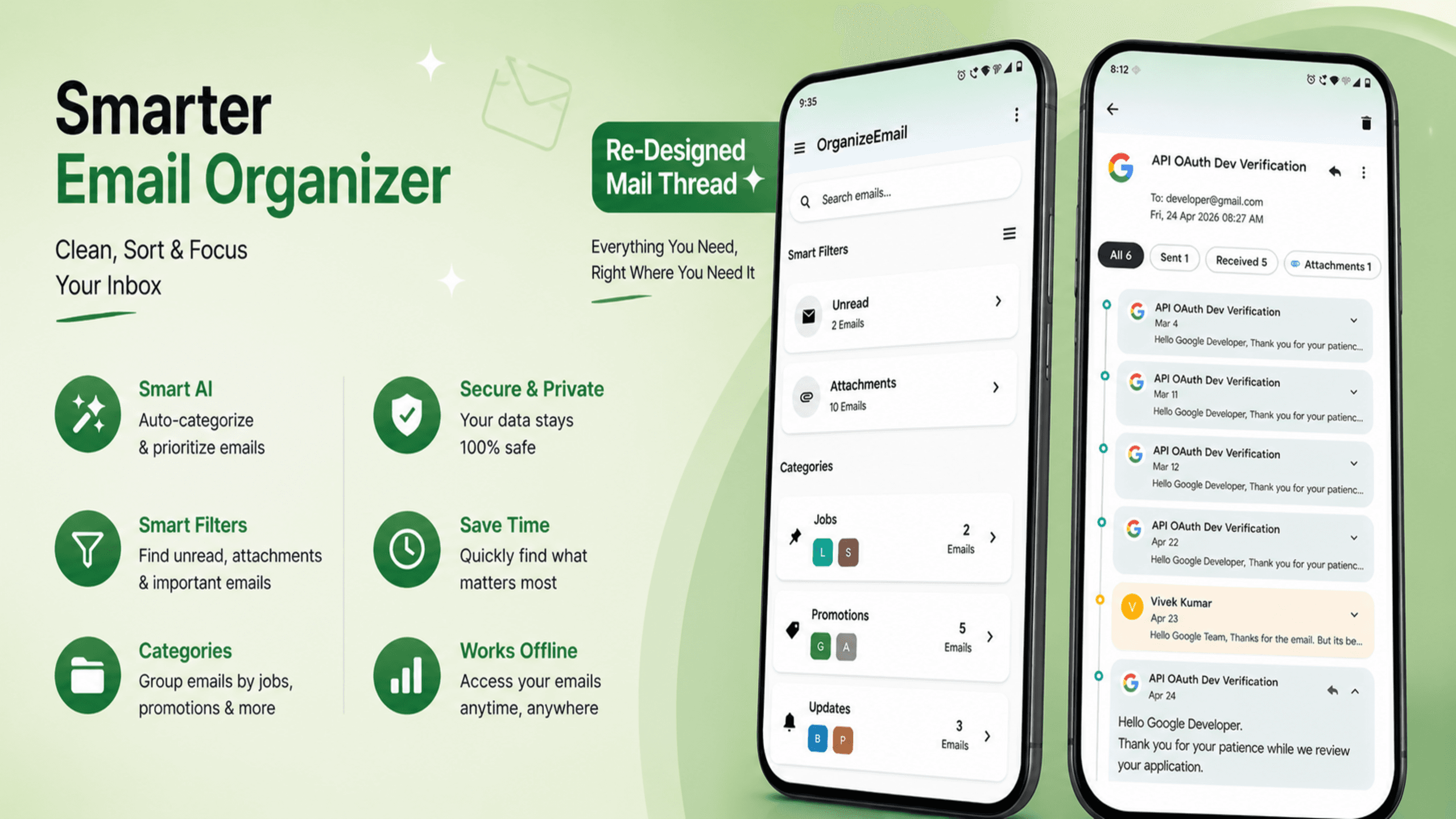
- Re-designed threads: Conversations finally feel like conversations — collapsible quotes, clean typography, attachments surfaced inline.
- One unified inbox: Gmail, Yahoo, Outlook — all in a single app with one notification stream.
- Mass unsubscribe: Spot every newsletter in your inbox and unsubscribe from dozens at once — finally a quiet inbox.
- Lightning compose: Templates, snippets, scheduled send, undo send and AI-assisted replies that actually sound like you.
- Privacy by design: OAuth authentication, encryption in transit, on-device categorization. No ads. No selling. No training on your mail.
Categorize Your Mail Like Never Before
Forget dragging emails into folders. The moment a message hits your inbox, OrganizeEmail's on-device classifier reads sender, subject, and structural signals to assign it a smart label:
- Jobs — recruiter outreach, interview confirmations, offers, application status updates.
- Tech — GitHub, CI/CD alerts, dev newsletters, product updates.
- Social — LinkedIn, Instagram, X, Facebook notifications grouped together.
- Finance — bank statements, invoices, receipts, tax documents.
- Travel — bookings, boarding passes, hotel confirmations, itineraries.
- Promotions — sales, marketing, deals — quarantined politely.
- Personal — actual humans writing to actual you. Always front and center.
Don't like a label? Move it once, and OrganizeEmail learns. Want a brand-new category like "Side Project" or "Investing"? Create it, and the AI handles the rest.
Email Threads, Beautifully Rebuilt
Long reply chains have been a usability disaster for two decades. OrganizeEmail reimagines threads with collapsible quotes, sender chips, inline attachments, and a typography system designed for reading, not skimming. Every message gets the room it deserves — without the wall-of-text fatigue.
Gmail, Yahoo, Outlook — All In One App
Stop juggling apps. OrganizeEmail brings every account into a single, unified inbox with one notification system, one search bar, and one beautiful UI.
Supported providers:
- Gmail
- Yahoo Mail
- Outlook / Hotmail
Switch accounts with a tap. Search across all of them at once. Forward between accounts in a single keystroke. It's the unified inbox email should have shipped with from day one.
Mass Unsubscribe — Clean Your Inbox In A Minute
OrganizeEmail scans your inbox, identifies every newsletter and promotional sender, and lays them out in a clean grid. Tap the ones you don't want — we send the unsubscribe requests for you, verify they were honored, and quietly trash any sender that ignores them. The average user removes 47 newsletters in their first session.
"I deleted three other email apps the day I installed OrganizeEmail. The categorization is genuinely magical, and mass unsubscribe gave me back my Sunday mornings." — Priya R., Product Manager · Play Store review
Everything Else You'd Expect — Done Better
- Compose with snippets & templates — reusable replies for recruiting, sales, support.
- Scheduled send & undo send — write now, deliver at the perfect moment.
- Snooze, pin, and reminders — keep what matters at the top until it's handled.
- Powerful search — across every account, with smart filters for sender, attachment, date.
- Calendar & contacts integration — RSVP, meet, and follow up without leaving the app.
- Dark mode & accessibility — gorgeous in any light, fully WCAG-compliant.
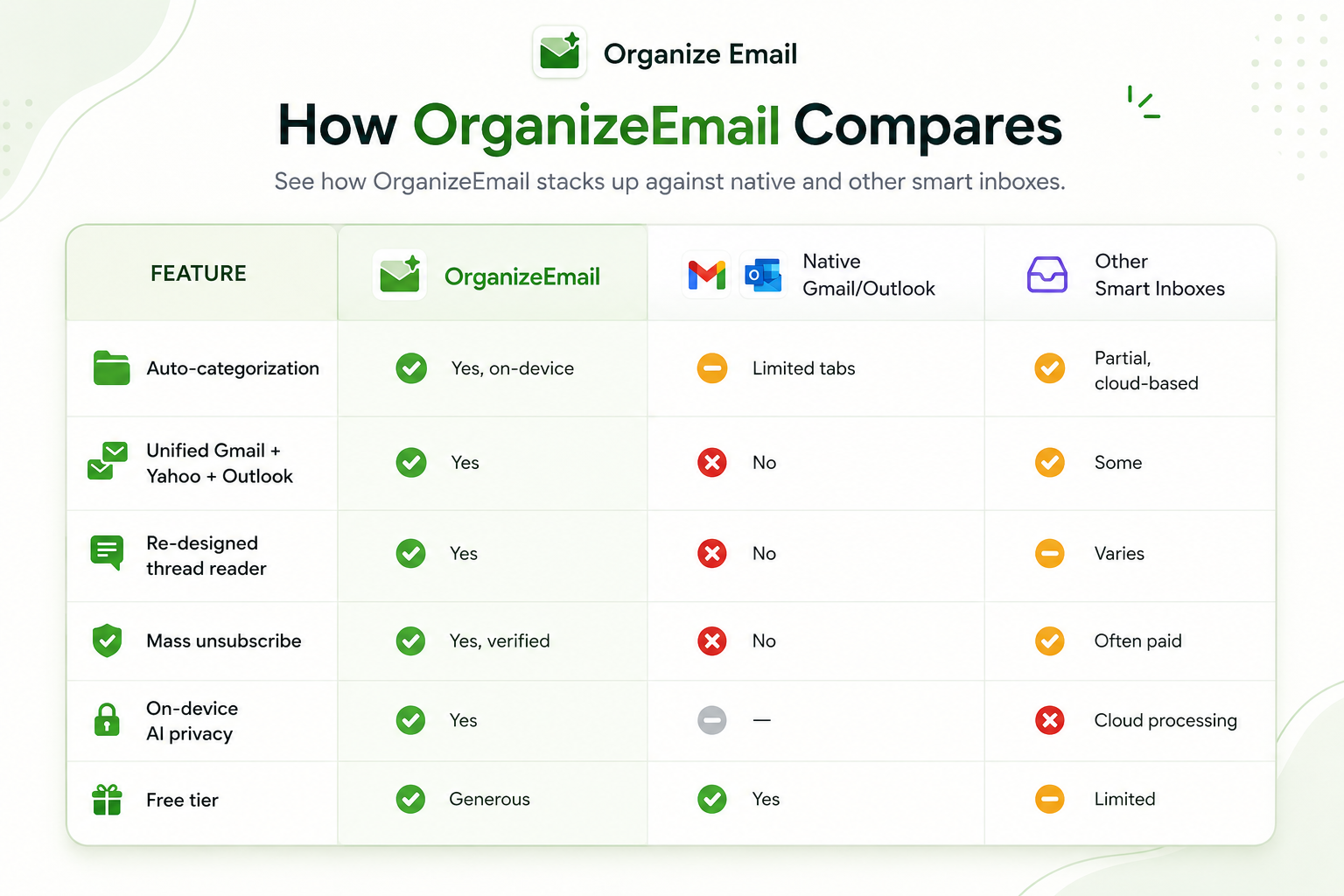
How OrganizeEmail Compares
Privacy & Security: Built In, Not Bolted On
Your email is some of the most sensitive data you own. OrganizeEmail uses OAuth for authentication (we never see your password), TLS 1.3 in transit, and runs categorization on your device wherever possible. We don't sell your data, we don't show you ads, and we don't train AI models on your private mail. Ever.
Who OrganizeEmail Is For
- Job seekers who can't afford to miss a recruiter email.
- Founders & PMs juggling personal, work, and side-project inboxes.
- Developers drowning in CI/CD, GitHub, and newsletter noise.
- Freelancers managing multiple client domains in one place.
- Anyone who's typed "inbox zero" into a search bar at 11pm.
Getting Started in Under 60 Seconds
- Download OrganizeEmail from Google Play.
- Sign in to Gmail, Yahoo, Outlook — or all of them.
- Watch your inbox auto-categorize in real time.
- Run mass unsubscribe once — and feel the silence.
Frequently Asked Questions
Q: Is OrganizeEmail free?
A: Yes. The free plan includes auto-categorization, the unified inbox, and basic mass unsubscribe. Pro unlocks unlimited accounts, custom categories, advanced rules, and team templates.
Q: Which email providers are supported?
A: Gmail, Yahoo Mail, Outlook/Hotmail — all in a single unified inbox.
Q: How does the auto-categorization work?
A: OrganizeEmail uses on-device machine learning to read sender, subject, and structural signals — never the body content sent off-device — and assigns each email to categories like Jobs, Tech, Social, Finance, Travel, and Promotions.
Q: Is my data safe?
A: Yes. We use OAuth (never your password), encryption in transit, and run AI on-device wherever possible. We never sell your data and never train models on your mail.
Q: Can I really unsubscribe from multiple newsletters at once?
A: Yes — that's the most-loved feature. OrganizeEmail finds every newsletter, lets you unsubscribe from dozens with one tap, and verifies the request was honored.
Q: Does it work on Android?
A: OrganizeEmail is currently available exclusively on Android. Your categories and rules sync seamlessly across your devices.
Take back your inbox today.
Free forever for personal use. Sign in with Gmail, Yahoo, or Outlook in one tap.
Download for Android
 Product