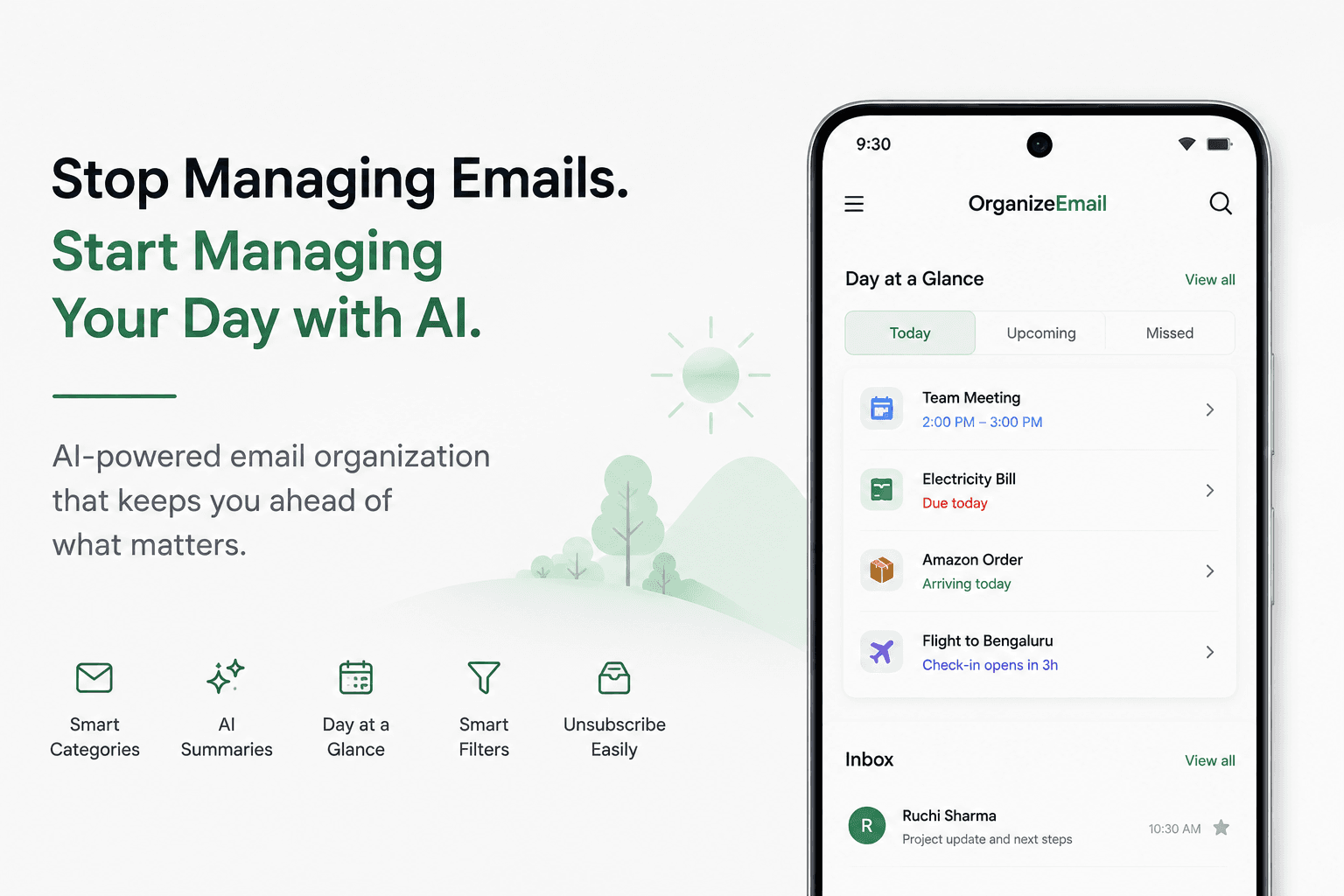
Every email app claims to be "smart." Almost none of them actually organize your inbox, and most of the new ones quietly ship your private mail to a third-party AI in the cloud. We built OrganizeEmail to fix both problems at once — with on-device categorization, redesigned threads, a true unified inbox, and zero data leakage.
This post puts OrganizeEmail head-to-head with the apps you're probably using today, and shows exactly where each one falls short.
The 5 Problems with Today's Email Apps
- They don't actually organize your inbox.
Gmail's "Promotions/Social/Updates" tabs and Outlook's "Focused Inbox" are blunt instruments. They miss recruiter messages, mix Slack alerts with personal email, and don't separate finance, travel, or tech.
- Their thread reader is stuck in 2008.
Quoted replies, forwarded chains, signatures repeated 14 times — most apps just dump it on you with the same monospaced layout they shipped a decade ago.
- Multi-account is a tab switcher, not a real unified inbox.
"Combined inbox" in most apps means a flat merge — no per-account filters, no cross-account search, no per-account signatures done well.
- Mass unsubscribe is missing or paywalled.
Some apps don't have it at all. Others put it behind a premium tier. Almost none verify the unsubscribe request was honored.
- New "AI" apps quietly leak your private mail.
Many smart-inbox apps send your message contents to OpenAI, Google, or their own cloud servers to generate summaries and replies. Convenient — but every email body, attachment name, and contact gets processed off your device.
How We Compared Them
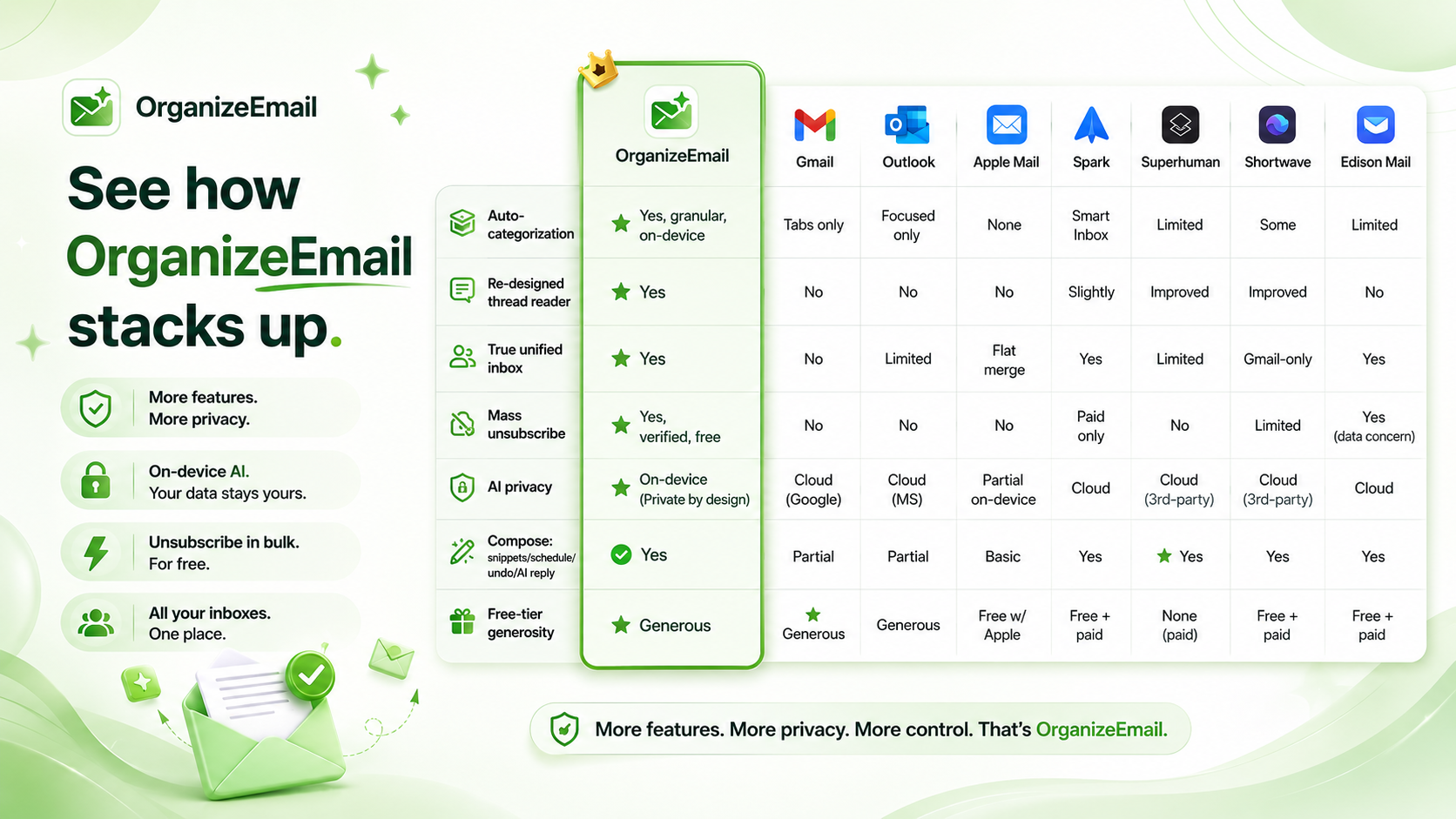
We scored each app across 7 categories that matter in real daily use:
- Auto-categorization (Jobs, Tech, Social, Finance, etc.)
- Re-designed thread reader
- True unified inbox across providers
- Mass unsubscribe (and whether it's verified)
- AI privacy (on-device vs cloud processing)
- Compose power (snippets, scheduling, undo, AI replies)
- Free-tier generosity
Apps compared: OrganizeEmail, Gmail, Outlook, Apple Mail, Spark, Superhuman, Shortwave, Edison Mail.
App-by-App Breakdown
1. Gmail (Native)
Pros:
- Reliable, fast, generous free storage in the Google ecosystem.
- Decent search.
Cons vs OrganizeEmail:
- Categorization is limited to Primary / Promotions / Social / Updates / Forums tabs — no Jobs, Tech, Finance or Travel buckets.
- No real unified inbox for non-Google accounts.
- Thread view is functional but unchanged for years.
- AI features (Gemini summaries, "Help me write") run in Google's cloud and are tied to your account. Privacy depends entirely on Google's policy.
- No native mass unsubscribe — only one-at-a-time list-unsubscribe headers.
2. Outlook / Microsoft Outlook
Pros:
- Strong calendar integration.
- Familiar to enterprise users.
Cons vs OrganizeEmail:
- "Focused Inbox" is a binary filter — not category-based.
- Cross-provider unified inbox is clunky; Yahoo and IMAP support varies by platform.
- Copilot AI features process your mail in Microsoft's cloud; some capabilities are gated behind a paid Microsoft 365 license.
- No first-class mass unsubscribe.
- The thread reader is dense, especially on mobile.
3. Apple Mail
Pros:
- Beautiful default typography on iOS/macOS.
- Tight system integration.
Cons vs OrganizeEmail:
- Zero auto-categorization. You get folders and that's it.
- "All Inboxes" is a flat merge — not a smart unified inbox.
- AI features (Apple Intelligence) are partial and tied to specific hardware; not available on most Android, Windows, or older devices.
- No mass unsubscribe.
- Thread view is unchanged in any meaningful way for years.
4. Spark Mail
Pros:
- Polished UI, good keyboard shortcuts, team features.
- "Smart Inbox" groups some categories.
Cons vs OrganizeEmail:
- Categorization is shallow and not as granular as Jobs / Tech / Finance / Travel splits.
- AI features (Spark+) are cloud-based and gated behind a subscription.
- Some email metadata historically passes through Spark's own servers — a point of past public concern in privacy reviews.
- Mass unsubscribe is locked to the paid Premium tier.
5. Superhuman
Pros:
- Excellent keyboard-driven UX.
- Snippets, splits, and reminders are well executed.
Cons vs OrganizeEmail:
- Premium-only — no free plan; sits at a high monthly price point.
- AI ("Auto Summarize," "Write with AI") sends message contents to a third-party LLM provider for processing.
- Categorization is limited compared to OrganizeEmail's category model.
- No true mass unsubscribe.
- Thread view is improved over Gmail but not fundamentally rebuilt.
6. Shortwave
Pros:
- Fast, modern Gmail-only client with good AI summaries and search.
Cons vs OrganizeEmail:
- Gmail-only — no Yahoo or Outlook.
- AI summaries, search, and assistant features run in the cloud and process your message contents through third-party LLMs.
- Categorization exists but is not as structured as OrganizeEmail's multi-category model.
- Mass unsubscribe is limited.
7. Edison Mail
Pros:
- Has had a built-in unsubscribe and assistant for a long time.
Cons vs OrganizeEmail:
- Edison's parent company has historically monetized aggregated user data through its market-research arm — a model that drew significant public scrutiny.
- Categorization is mostly receipts/travel-focused, not the broad Jobs / Tech / Social / Finance split.
- Cloud-based assistant features.
- Thread reader is conventional.
Side-by-Side Comparison Table
The Hidden Risk: AI Data Leakage
Here's the part most marketing pages won't tell you.
When an email app advertises "AI summaries," "Ask my inbox," or "Write with AI," it usually means the app is doing one (or all) of these:
- Sending your message body to a third-party LLM provider (OpenAI, Google, Anthropic) for inference.
- Indexing your inbox in the vendor's own cloud so the AI can search it.
- Storing embeddings (numeric representations of your email) in a vector database the vendor controls.
- Caching summaries and AI responses tied to your account.
Even when the vendor swears they "don't train on your data," the data still LEAVES your device. That widens your attack surface considerably:
- Subpoena and legal discovery risk: any party that can compel the vendor can potentially see your processed email.
- Vendor breach risk: every cloud cache is a future breach headline.
- Sub-processor risk: many AI vendors rely on further sub-processors you've never explicitly trusted.
- Policy-change risk: today's "we don't train on your data" can quietly become tomorrow's opt-out checkbox.
OrganizeEmail's approach:
- Categorization runs ON DEVICE using a small, efficient model — your email body never leaves your phone for sorting.
- Optional AI replies are clearly labeled, opt-in, and you can choose a fully on-device model or explicitly send a single message to a vetted provider — your choice, every time.
- Zero background indexing of your inbox in the cloud.
- No data brokering, no advertising business model, no model training on user mail.
If "I don't want my private email read by an AI in someone else's data center" matters to you, this is the single biggest reason to switch.
Categorization: Why Ours Is Different
Other apps:
- Bucket mail into 2-5 broad tabs (Primary / Promotions / Social, or Focused / Other).
- Rules are server-side, opaque, and you can't easily teach them.
OrganizeEmail:
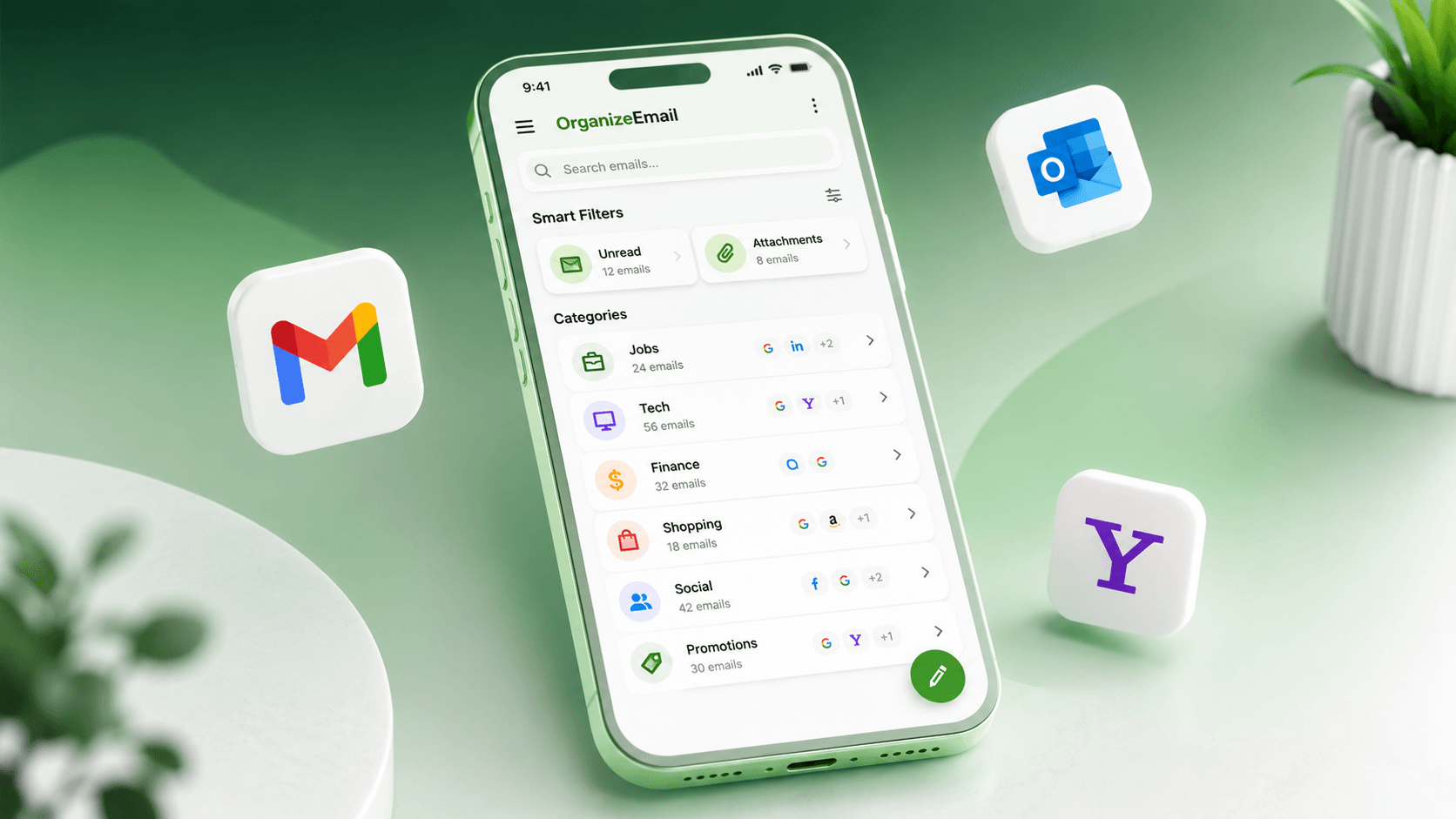
- Granular categories: Jobs, Tech, Social, Finance, Travel, Promotions, Personal — and any custom category you create.
- Learns from a single drag-and-drop correction. No setup wizard.
- Runs locally, so it works seamlessly on your Android device — even offline.
- Per-category notification settings: silence Promos, get a buzz for Jobs.
Thread Design: What "Re-Designed" Actually Means
What "redesigned threads" means in OrganizeEmail:
- Quoted replies collapse by default and expand inline — no more nested walls of text.
- Each message in a thread gets a sender chip, time, and clean spacing — it reads like a chat, not a court transcript.
- Inline attachments appear at the point they were referenced, not at the bottom of the message.
- Auto-detected signatures are dimmed and collapsed.
- Conversations from multiple participants visually distinguish each speaker.
Most other apps still render threads using the same patterns Gmail introduced years ago. We rebuilt the entire reading layer.
Unified Inbox: The Difference Between Merged and Unified
A "merged" inbox just shows mail from multiple accounts in one list. A unified inbox understands them.
OrganizeEmail:
- One search bar that searches Gmail + Yahoo + Outlook at once, with per-account filters.
- One notification stream with smart de-duplication when the same person emails you across two of your accounts.
- Per-account signatures, send-as identities, and category rules — all managed in one place.
- Forward between your own accounts in one tap.
Gmail / Apple Mail / Outlook either don't support cross-provider unified inboxes well, or do a flat merge and call it done.
Mass Unsubscribe: Free, Verified, In One Tap
- OrganizeEmail: free in the base plan, finds every newsletter, batch unsubscribe, verifies the request was honored, auto-trashes senders that ignore it.
- Gmail / Outlook / Apple Mail: rely on the per-message list-unsubscribe header — one at a time.
- Spark / Edison: have it, but typically gated behind a paid plan.
- Superhuman / Shortwave: limited or absent.
Pricing Snapshot (As of Publication)
- OrganizeEmail: Free for personal use; Pro tier for power users and teams.
- Gmail: Free for consumers; bundled with Google Workspace for businesses.
- Outlook: Free with limits; full features with Microsoft 365.
- Apple Mail: Free with Apple devices; advanced features need iCloud+.
- Spark: Free tier; Premium subscription for AI and team features.
- Superhuman: Premium-only, the highest monthly price in the category.
- Shortwave: Free tier; AI features via paid plan.
- Edison Mail: Free with optional paid premium.
(Exact prices change — check each vendor's site for current pricing.)
Who Should Pick Which App
- Pick OrganizeEmail if you want auto-categorization, multi-provider support, mass unsubscribe, and zero AI data leakage in one app.
- Pick native Gmail if you live entirely inside Google and don't care about categorization beyond tabs.
- Pick native Outlook if you're deep in Microsoft 365 and prioritize calendar integration above all.
- Pick Apple Mail if you only use iCloud and one or two other accounts and don't want AI in your email at all.
- Pick Superhuman if keyboard speed is your single most important metric and price is no object.
- Pick Shortwave if you only use Gmail and want cloud-based AI summaries and you're comfortable with that trade-off.
The Bottom Line
Most email apps either give you organization without privacy, or privacy without organization. OrganizeEmail is the only one in this comparison that delivers both:
- Categorization that goes far beyond "Promotions vs Primary."
- A thread reader that's actually been rebuilt for 2026.
- A real unified inbox across every major provider.
- Mass unsubscribe in the free plan.
- AI that runs on your device, not in someone else's data center.
If you've been juggling apps, drowning in newsletters, and wondering who exactly is reading your "AI-summarized" inbox — OrganizeEmail is the answer.
Download for Android
 Opinion